Getting Started in DING DONG STREAM!
Your first-hour checklist from lobby shopping street to a clean doorbell stream.
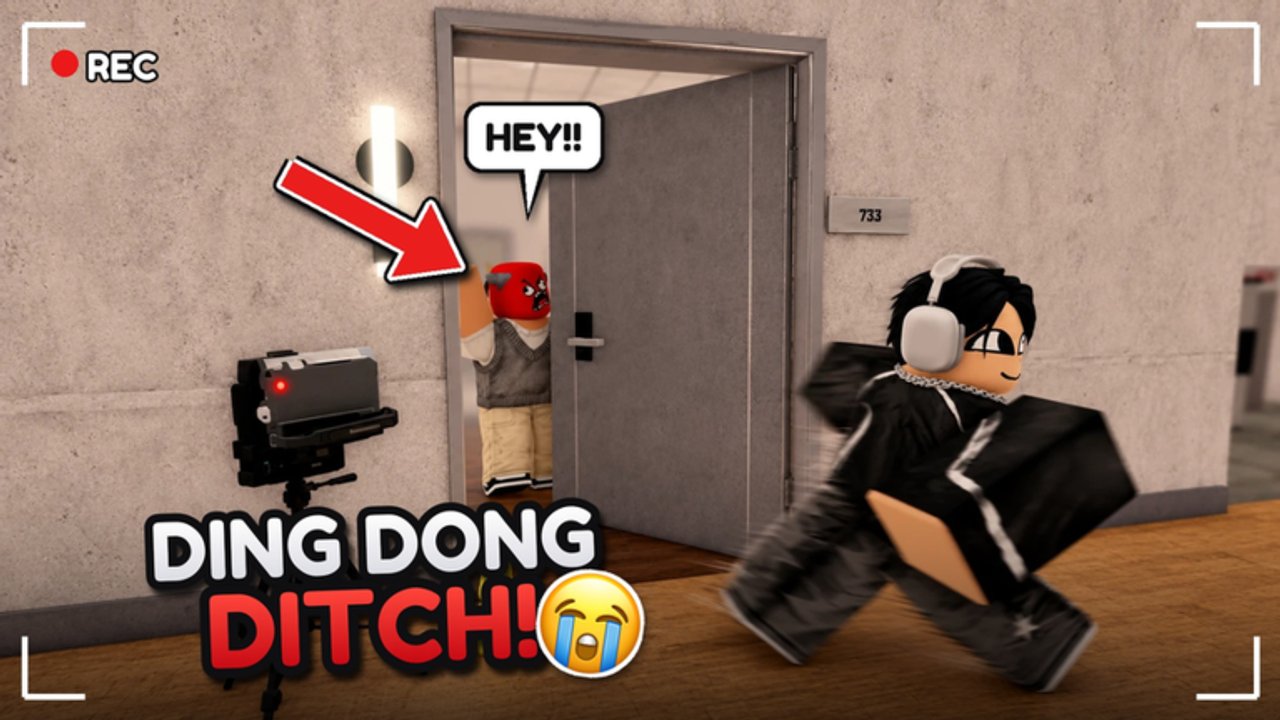
DING DONG STREAM! by Tsuu Studio is a Roblox party game released on 19 October 2026. You ring doorbells, run, hide, and entertain a fake livestream chat before the timer ends. This getting-started guide is written for day one: how to land in the lobby, claim rewards, redeem codes, learn the UI, pick a forgiving map, and finish a few streams without tilting your whole friend group.
What you are trying to do
The fantasy is simple. You play a prank streamer who ding-dong ditches across themed neighborhoods. Neighbors and security react. Chat reacts. Your job is to keep the bit funny and alive until the stream clock allows a clean exit—or until you get caught and reset. Matches can feel crowded because servers allow up to 24 players. Treat crowded lobbies as part of the joke: more footsteps mean more heat, but also more distractions for whoever is chasing.
If you want the pure mechanical loop—ding, ditch, timer, cash—open How to Play after this page. If you already know the loop and only need layout knowledge, jump to the Maps Guide.
First five minutes in the lobby
- Look around the shopping street. The lobby shopping street is where cosmetics, props, and progression purchases live. Do not empty your wallet on day one. Buy one practical tool after you understand your play style.
- Claim daily playtime rewards. Log time deliberately. Daily playtime rewards are free progression; they stack with promo gifts and reduce how hard Cash grinding feels later.
- Redeem codes on a new server. Open the Codes page, copy active strings carefully (many end with an exclamation mark), and redeem on a fresh server if redemption fails. Codes typically grant Cash and spins for Spin Stream.
- Find Spin Stream. Spins come from codes and playtime. Spin when you can afford to miss a mediocre roll—do not dump every spin the second you arrive if you still need Cash for a prop that solves a real problem.
- Skim controls. Visit Controls for PC, mobile, and console notes, including where the codes button and shop sit so you are not hunting menus mid-round.
Your first match plan
Queue a standard-feeling mode before you jump into Deadly or Chaos. Endless is the best classroom: you can practice porch approaches, escape angles, and hide commits without a brutal fail state teaching you the wrong lesson. Read the Modes Guide before you promise friends a Chaos night.
On the map select mindset:
- Prefer Suburbs or Hotel early if you want readable houses and clearer porch lines.
- Save Long Hallway and Ghost Village until you understand how long a chase lasts on your device.
- Treat High School as a mid-game playground once Update 1.2 Part 2 props feel familiar.
Deep map notes live in the Maps Guide. Rankings for beginners versus chaos lobbies live in the Maps Tier List.
Ding, ditch, hide—without panicking
Approach a door with an exit already chosen. Ring, turn, and commit. Standing on the porch to admire the animation is how day-one players get tagged. After the ding, pick one plan:
- Hard hide: locker, wardrobe, or bush—see Hiding Spots.
- Soft kite: long sprint through a second building shell before you hide.
- Re-ding later: only if the stream timer and heat allow it.
Chat entertainment is part of the score fantasy. You do not need a comedy script; you need visible activity. Successful rings, close calls, and surviving a seeker glance all read as “content” even when you are silent.
What to unlock first
Update 1.2 Part 2 spotlighted tools such as TNT, Hot Potato, Rocket Breach, Door Ram, Hammer Throw, and Boxing Gloves. You do not need all of them. Day-one priorities:
- Mobility or breach tools that shorten porch time if you keep getting caught mid-animation.
- One loud prop for Chaos nights with friends.
- Cosmetics last unless a mask or costume helps your squad identify each other.
Compare options in the Props Tier List and the broader Tier List Hub. Farm efficiently with codes plus playtime tips on the Tools Hub.
Seekers vs Prankers awareness
Even on day one you may land in Seekers vs Prankers. If you are a pranker, play quieter routes and pre-aim hides. If you are a seeker, watch porch cameras of opportunity: fresh ding audio, open locker doors, and bushes that still wiggle. Role mindset notes continue on the Players Hub.
Common day-one mistakes
- Redeeming codes on a stale server, then assuming the code is dead—try a new server first (Codes).
- Spending all Cash on cosmetics before you own a single useful prop.
- Hiding in the same locker twice in a row on a sweaty map.
- Queuing Chaos before you can finish an Endless stream calmly.
- Ignoring patch notes—skim Update 1.2 so High School and new knock styles do not surprise you.
A simple first-hour checklist
- Redeem codes and claim playtime rewards.
- Finish two Endless streams on a readable map.
- Practice three hide commits from Hiding Spots.
- Buy one prop that matches how you actually escape.
- Spin Stream once or twice without rage-rolling your last spins.
- Read How to Play for cash and timer mastery.
- Bookmark this wiki’s Guides Hub for the next session.
After your first successful stream
Celebrate the small win, then review what almost killed you. Was it porch time, bad hide choice, or mode pressure? That single post-game question turns random Roblox chaos into deliberate improvement. When you are ready for highlight posting, use DITCH TV tips from Tools. When you want scripts or executor talk, use Scripts responsibly.
Day one is not about mastering all seven maps. It is about surviving the loop long enough that the doorbell feels like a joke you control—not a jump scare that controls you. Follow this guide, lean on the linked pages, and your second hour will already look like a real streamer warm-up instead of a panic montage.
Frequently Asked Questions
Quick answers about codes, maps, modes, and stream runs.
What should I do first in DING DONG STREAM!?
Claim daily playtime rewards, redeem codes on a new server, learn the lobby shop and Spin Stream, then play Endless on a readable map.
Which map is best for beginners?
Suburbs and Hotel are usually easier to read. Confirm details in the Maps Guide and Maps Tier List.
Do I need props on day one?
Not immediately. Earn Cash, learn hiding, then buy one prop that fixes your most common fail—see the Props Tier List.
Where are codes and controls explained?
Codes live on the Codes page. Full UI and device tips live on the Controls page under Players.