DING DONG STREAM Guides & Walkthroughs
Every tutorial for doorbell pranks, stream timers, maps, and modes in one place.
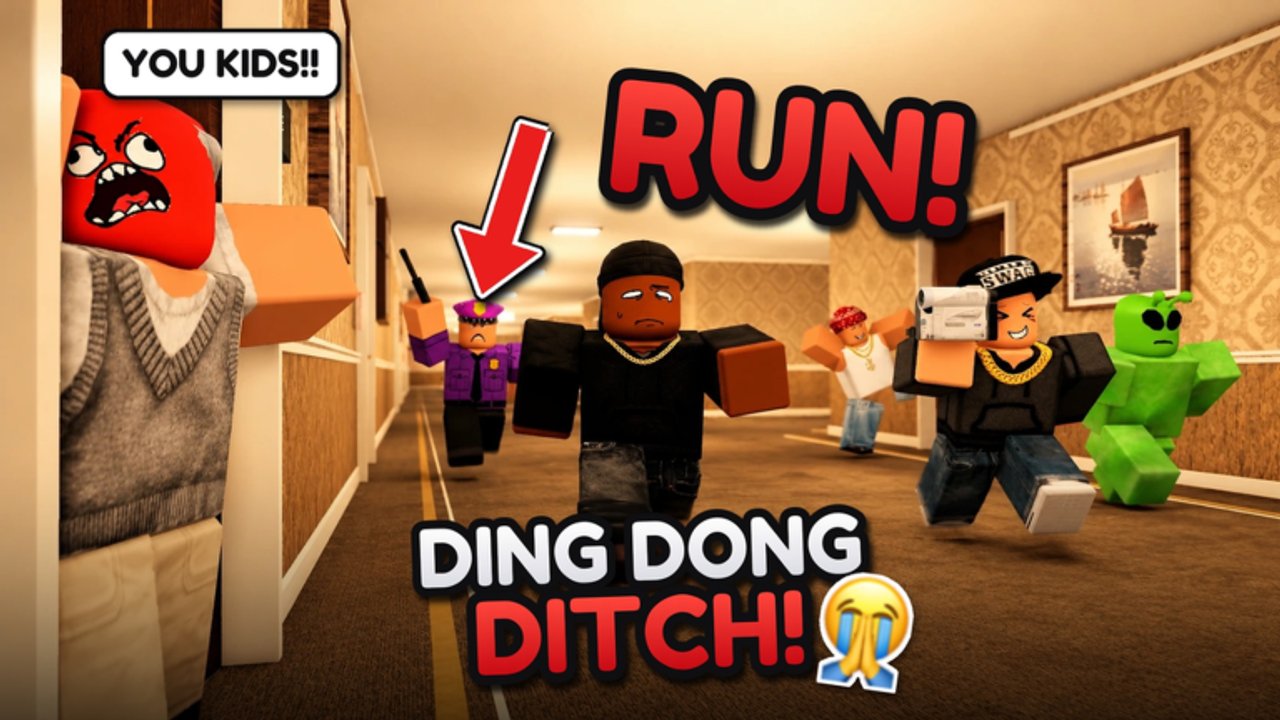
Welcome to the Guides Hub for DING DONG STREAM! by Tsuu Studio on Roblox. This party game turns classic ding-dong ditch into a livestream: ring doorbells, sprint away, hide from neighbors and security, and keep chat entertained before the stream timer ends. Servers support up to 24 players, and Update 1.2 Part 2 expanded props, knock styles, and the High School map. Use this hub as your map of every how-to on the wiki so you never guess the next step.
Start here if you are new
Brand-new players should open the Getting Started guide first. It covers lobby basics, the shopping street, daily playtime rewards, redeeming codes for Cash and Spin Stream spins, and what to buy before your first serious match. Pair that with How to Play for the core loop: approach a door, ding, ditch, manage the stream clock, and convert successful pranks into cash.
After one or two rounds, skim Controls so PC, mobile, and console layouts feel natural. Knowing where the codes button, shop, and Spin Stream wheel sit in the UI saves more time than any single prop unlock.
Maps, modes, and survival
DING DONG STREAM! ships seven maps: Hotel, Hood, High School, Suburbs, Long Hallway, Hospital, and Ghost Village. The Maps Guide walks each layout with route ideas, choke points, and when to rotate. For ranking which maps feel easiest for beginners versus pure chaos, jump to the Maps Tier List.
Modes change the pressure curve. Endless, Speedrun, Deadly, and Chaos each punish different habits, and Seekers vs Prankers flips the fantasy so half the lobby hunts while the other half streams. Read the Modes Guide before you queue ranked-feeling lobbies with friends.
When someone answers the door or security closes in, your survival depends on hide spots. Lockers, wardrobes, and bushes are the staples—see Hiding Spots for map-specific tips and common mistakes that get you spotted instantly.
Props, knock styles, and progression
Update 1.2 Part 2 highlighted explosive and breach tools such as TNT, Hot Potato, Rocket Breach, Door Ram, Hammer Throw, and Boxing Gloves. Learn when each shines in the Props Tier List, then farm Cash with codes, playtime rewards, and clean streams so you can unlock what you actually need. The Tier List Hub explains how we rank props and maps so you can disagree with intent instead of vibes.
Lobby systems matter too. Spin Stream burns spins from codes and playtime; the shopping street is where loadouts come together; DITCH TV lets you post highlight runs. The Tools Hub collects practical tips for spinning, farming, and posting without wasting currency.
Role tips and patch awareness
Prankers and seekers play different mind games. The Players Hub covers teamwork, baiting, and how to read a noisy lobby. After any patch, check Update 1.2 and the Updates Hub so your habits match the live build—not an outdated clip.
If you prefer automation experiments or executor tooling discussions, see Scripts. Keep experiments on private servers and respect Roblox rules; this wiki focuses on legitimate play tips first.
How to use these guides together
- Redeem fresh codes on a new server.
- Read Getting Started and How to Play.
- Pick a comfortable map from the Maps Guide and learn two hide routes in Hiding Spots.
- Practice one mode from the Modes Guide until the timer feels natural.
- Spend Cash on a prop that matches your style via the Props Tier List.
- Review Controls if UI friction is slowing you down.
- After a great run, post to DITCH TV using tips from Tools.
What good sessions look like
A strong session is not endless ringing. It is a rhythm: scout the porch, ding, commit to a hide or a long sprint, glance at the stream timer, and only re-engage when chat pressure and map heat allow it. Guides on this hub teach that rhythm map by map and mode by mode. Bookmark the hub, share links with your squad, and return after Update 1.2 Part 2 habits settle so you can revise which props and maps still feel S-tier for your group.
Whether you are farming Cash on Suburbs, surviving Deadly on Hospital, or staging Chaos on High School, start from this page, follow the internal links, and treat every failed stream as free scouting data for the next doorbell.
Frequently Asked Questions
Quick answers about codes, maps, modes, and stream runs.
Which guide should I read first in DING DONG STREAM!?
Start with Getting Started, then How to Play. Add Maps Guide and Hiding Spots once you survive a few full streams.
Do these guides cover Update 1.2 Part 2?
Yes. Prop, knock, and High School notes reflect Update 1.2 Part 2. Cross-check the Updates Hub after newer patches.
Where do I find codes and Spin Stream tips?
Redeem codes on the Codes page. Spin Stream farming and DITCH TV posting tips live on the Tools Hub.
Are maps and modes explained separately?
Yes. Use the Maps Guide and Modes Guide for deep dives, plus the Maps Tier List if you want beginner-friendly rankings.