How to Redeem DING DONG STREAM Codes
New-server rule, exact spelling, and troubleshooting so cash and spins land every time.
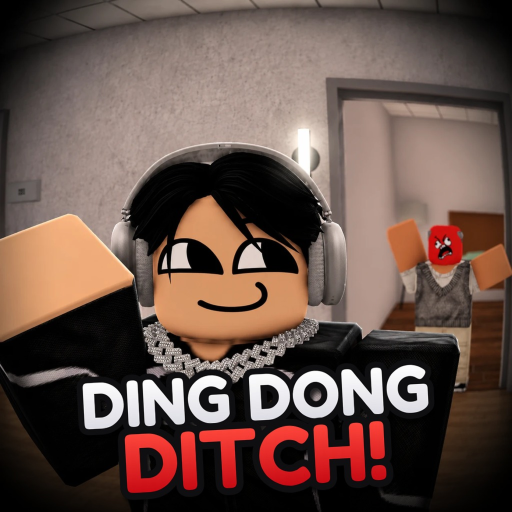
Redeeming codes in DING DONG STREAM! looks simple, but most failed claims come from old servers, tiny typos, or missing punctuation—not from dead codes. This guide walks through the full flow used by Tsuu Studio’s Roblox party game so you can claim cash and Spin Stream spins reliably, then spend them on props, cosmetics, and lobby shopping street items without wasting a session.
The game loop is ding-dong ditch on a livestream timer: ring doorbells, run, hide in lockers, wardrobes, or bushes, and avoid Seekers until the stream ends. Modes include Endless, Speedrun, Deadly, and Chaos across maps such as Hotel, Hood, High School, Suburbs, Long Hallway, Hospital, and Ghost Village. Codes accelerate that loop. If you only need the current strings, open the Codes Hub first; stay here when a code should work but does not.
Before you redeem
- Update Roblox so client UI matches current menus.
- Launch DING DONG STREAM from the official experience page (max 24 players per server).
- Prefer a new server. If you already played for a while, leave to the Roblox home page and rejoin—or use the server browser / teleport options available in your client—to land in a fresh instance.
- Have the code ready to paste. Confirmed strings include
100KVISITS!,250PLAYERS!,UPDATEPART2, andTHANKSYOUFOR50KVISITS!.DEADLYremains unconfirmed. - Clear chat distractions so you do not mis-tap Submit.
New servers matter because gift listeners often register when the instance boots. Long-lived lobbies may ignore valid promo strings even though friends redeemed them minutes earlier elsewhere.
Exact typing rules
- Codes are case-sensitive in practice—type them in the casing published on the Codes Hub.
- Keep every exclamation mark.
100KVISITSwithout!is not the same gift as100KVISITS!. - Do not add spaces before or after the string.
- Do not translate codes. Keep English tokens such as
UPDATEPART2even if your Roblox UI language differs. - Watch look-alike characters: zero
0versus letterO, and1versusIorl. THANKSYOUFOR50KVISITS!uses the community-reported spelling; do not “correct” it to THANKS YOU.
Mobile players should paste from a notes app rather than retyping on a tiny keyboard. PC players can paste from this wiki, then double-check the field before confirming.
Step-by-step redemption
- Join a fresh DING DONG STREAM server.
- Wait until the lobby finishes loading—shopping street, DITCH TV, and daily playtime UI should be interactive.
- Open the Codes, Gifts, or Settings panel that accepts promo input (label can shift slightly after patches such as Update 1.2 Part 2).
- Tap or click the text field and paste the full code.
- Submit once. Wait for a success toast or balance tick instead of mashing Submit.
- Verify cash and Spin Stream spin counts. Milestone packs often grant both (for example ~$2000 + 5 spins on
100KVISITS!). - Optional: open Spin Stream immediately so spins are not forgotten mid-match.
If nothing happens, do not assume the code is dead. Work the troubleshooting list below before moving on.
Troubleshooting when redemption fails
Invalid / unknown code
- Retype from the Codes Hub table—avoid screenshots that crop the final
!. - Confirm you are in DING DONG STREAM! by Tsuu Studio, not a similarly named fan place.
- Try the next confirmed code to see if the UI works at all.
Code already redeemed
- Most codes are one claim per account. Secondary accounts need their own redeem.
- Check inventory and cash history; the gift may have applied without a loud animation.
Works for friends, not for you
- They are likely on a newer server. Leave completely and rejoin.
- Disable VPNs that route you into overloaded regions if rejoins keep landing on ancient instances.
Success message but no items
- Soft rejoin the same server once.
- Check Spin Stream and cash separately; UI badges can lag.
- After Update 1.2 Part 2, spins feed the wheel—open that UI explicitly.
Unconfirmed codes
DEADLYmay grant free cash or may already be retired. Treat failures as expected until the Codes Hub upgrades its status.
Smart spending after a successful claim
Cash and spins only help if you convert them into better matches:
- Props: TNT, Hot Potato, Rocket Breach, Door Ram, Hammer Throw, and Boxing Gloves define prank and escape options. New players often start with Door Ram or Boxing Gloves while learning knock styles from Update 1.2.
- Spin Stream: Use spins when the lobby is quiet so you can read rewards.
- Shopping street: Cosmetics and convenience buys are fine after you own a reliable prop set.
- Game passes: Official 2X MONEY passes stack with code cash more safely than any third-party script.
- Practice mode choice: Endless or Chaos for learning routes; Deadly once you can hide under pressure.
For first-hour priorities, follow Getting Started. For what changed in the latest content drop—including explosive props, knock styles, bigger High School, and DITCH TV—read Update 1.2 Part 2. Prop strength context lives under the Tier List Hub.
Codes, daily rewards, and fair alternatives
Daily playtime rewards and lobby activities still matter after codes. Scripts and executors can ban accounts; if you are curious why the community mentions admin menus, read the caution notes on the Scripts Hub and stick to official gifts whenever possible. Fair play keeps your Roblox account and your stream clips safe.
Habit checklist for every new code wave
- Open the Codes Hub after each patch listed on Updates.
- Join a new server before the first redeem attempt.
- Paste exact strings with punctuation.
- Verify cash and spins.
- Spend on one prop or wheel spin before queuing a match.
- If redemption fails twice, switch servers once more, then report the string as likely expired.
Master this redeem loop once and every future milestone code becomes a two-minute errand instead of a wasted evening. Then get back to ringing doorbells, ditching Seekers, and keeping the livestream alive until the timer ends.
Frequently Asked Questions
Quick answers about codes, maps, modes, and stream runs.
Why do codes only work on new servers?
Promo listeners often bind when a server starts. Stale lobbies may reject valid strings. Leave and rejoin a fresh instance, then redeem again.
Do I need the exclamation mark?
Yes for codes that publish one. 100KVISITS! and THANKSYOUFOR50KVISITS! fail without the trailing !. Copy the hub table exactly.
Can I redeem the same code twice?
No. Each code is typically one claim per Roblox account. Alts must redeem separately if allowed by the developers.
What should I buy first with code cash?
A reliable prop such as Door Ram or Boxing Gloves, then Spin Stream rolls. See Getting Started for a full first-hour plan.
Where do I find the current code list?
The Codes Hub tracks confirmed and unconfirmed strings, rewards, and Update 1.2 notes. This page covers redemption only.